How to Tell if a Picture is Fake (5 Methods, Free Tools)

Netanel Ossi
Founder, FauxLens
How to Tell if a Picture is Fake
Fake images are everywhere in 2026. AI generators like Midjourney, DALL-E 3, and Flux can produce photorealistic images in seconds. Traditional Photoshop manipulation has been around for decades. The result: the images we see online, in news articles, on dating profiles, and in legal evidence can no longer be trusted at face value.
This guide covers five methods, from simple visual checks you can do with your eyes to forensic tools that analyze the mathematics of the image. So you can verify any picture in minutes.
Sponsored
Method 1: Visual Inspection
Before using any tool, your eyes are your first filter. AI models and Photoshop both leave visual artifacts that a trained eye can spot.
Look at hands and fingers. AI models notoriously struggle with hands. Count the fingers. Look for knuckles that bend in smooth curves rather than at distinct joints. Check whether a gripping hand actually contacts the object it holds.
Read the background text. Zoom into any text visible in the background: signs, labels, book titles. Real photos show readable text. AI-generated images typically show garbled symbols that resemble letters but form no coherent words.
Check lighting direction. Look at where shadows fall on the subject versus the background. In fake images, the shadow on a face often suggests a different light source direction than the shadow on the background. This is a classic compositing error.
Examine the edges. Where a subject meets the background is where compositing errors appear most visibly. Look for soft halos, color fringing, or unnatural edge sharpness where the subject was cut and pasted.
Visual inspection is fast and free, but it fails on high-quality fakes. Move to the methods below if visual inspection is inconclusive.
Method 2: Reverse Image Search
A reverse image search finds other instances of the same image online. If a photo appears on stock image sites, in other articles, or has been previously identified as fake, a reverse search will surface this.
How to do it: Right-click the image in your browser and select 'Search image' (Google Chrome) or 'Search the web for image' (Safari). Alternatively, go to images.google.com and drag the image file into the search bar. TinEye (tineye.com) is a dedicated reverse image search that tracks image history more aggressively than Google.
What to look for: If the image appears in multiple unrelated contexts (as a stock photo, in articles about different events, or with different captions), it is either a stock photo being misused or a manipulated version of a real image. The earliest appearance in the search results often reveals the original, unmanipulated source.
Limitation: Reverse search misses AI-generated images because they have no prior existence online. It also misses manipulated images where the edits are substantial enough to fool perceptual hashing. For these cases, proceed to methods 3-5.
Method 3: Check the Metadata
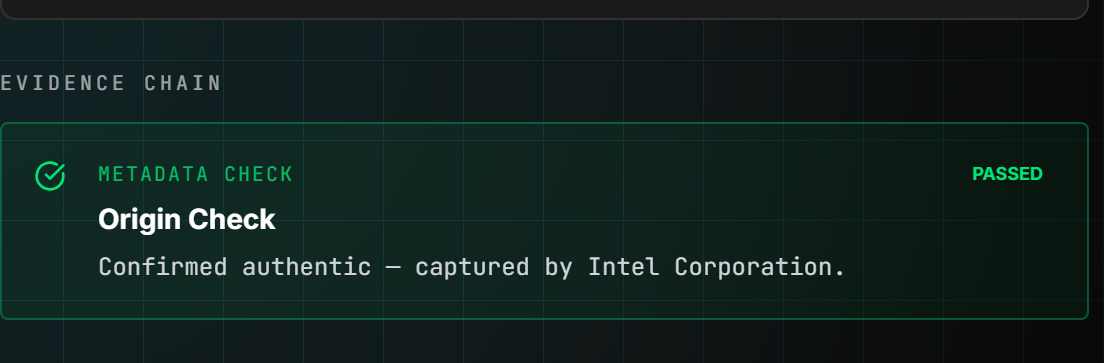
Every digital photo contains metadata - invisible data embedded in the file that records how and when the image was captured. Metadata analysis can reveal whether an image's claims match its technical history.
What metadata contains: Camera make and model, capture date and time, GPS coordinates, lens focal length, aperture, ISO, shutter speed, and editing software history.
How to check it: On Mac, open the image in Preview, then go to Tools → Show Inspector → the 'i' icon. On Windows, right-click the image, select Properties, then the Details tab. Online tools like Jeffrey's Exif Viewer (exifdata.com) display metadata in a readable format.
Red flags in metadata: No metadata at all - social media strips metadata, but a photo claimed to be straight from a camera should have some. Editing software listed (Adobe Photoshop, GIMP, Lightroom) when the image is presented as unedited. Capture date that doesn't match the claimed event date. GPS coordinates that contradict the claimed location.
Limitation: Metadata is trivially easy to fake or strip. The absence of metadata is suspicious but not conclusive. Metadata presence does not guarantee authenticity. Use metadata analysis alongside other methods.
Method 4: Error Level Analysis (ELA)
Error Level Analysis is a forensic technique that reveals editing by exposing compression inconsistencies. When you save a JPEG, all regions of the image are compressed at the same quality level. When you edit the image and re-save it, the edited regions have a different compression history than the unedited regions. ELA makes this difference visible.
How ELA works: The tool re-saves the image at a known quality level, then subtracts the result from the original. Regions with higher error (brighter in the ELA map) have been re-compressed more times than the surrounding image, a signal of editing.
How to run ELA: Upload the image to FauxLens for automated ELA analysis. The forensic report highlights regions of the image where compression inconsistencies were detected. Alternatively, fotoforensics.com provides a simple online ELA tool.
What to look for: Uniform brightness across the ELA map suggests a single-compression-history image (unedited or AI-generated). Bright regions surrounded by darker regions indicate areas with different compression history, the signature of edited or composited content.
Limitation: ELA effectiveness decreases if the image has been heavily re-compressed (as happens when shared through social media platforms). PNG images have no JPEG compression and produce no ELA signal - other methods are needed for PNG analysis.
Method 5: AI Forensic Detection
AI forensic tools analyze images using the same class of techniques used to detect AI-generated content at scale - multiple forensic signals evaluated simultaneously with machine-learned weights.
How AI detection differs from ELA: ELA is a single signal focused on JPEG compression history. AI forensic detectors run six or more signals in parallel: GAN fingerprint analysis (detecting the frequency-domain artifacts neural networks embed), PRNU noise analysis (checking for the camera sensor patterns real photos contain), frequency domain analysis (Fourier transforms that reveal unnatural spectral characteristics), metadata forensics, clone detection, and shadow physics verification.
How to use it: Go to FauxLens and upload the image or paste its URL. The forensic pipeline runs in under 3 seconds and returns a verdict (AI-Generated, Likely Authentic, or Inconclusive) with a per-signal breakdown showing which signals flagged and why.
What the results mean: A high-confidence AI-Generated verdict (above 0.85) means multiple independent signals agree the image was produced by a neural network. An Inconclusive result means the signals disagree or the evidence is weak - common for heavily re-compressed images or subtle edits. A Likely Authentic verdict means the forensic signals are consistent with a real camera capture.
Accuracy: Detection is strongest on unmodified output from the major generators (Midjourney, DALL-E 3, Flux, Stable Diffusion) and weakest on heavily edited real photos, where a small local change leaves little to find. Rather than quote one headline figure, the report shows which signals flagged, so you can judge how much weight the verdict deserves.
Which Method Should You Use?
For quick checks on social media images or news photos, start with visual inspection and reverse image search. They take under a minute and catch most obvious fakes. For higher-stakes verification (legal evidence, journalistic fact-checking, financial claims), add metadata analysis and AI forensic detection. Use all five methods for maximum confidence, since different fakes are caught by different methods.
No single method is foolproof. A sophisticated fake might pass visual inspection, have no reverse search matches, contain plausible metadata, and show clean ELA, but still be caught by GAN fingerprinting. Running multiple methods in parallel gives you the highest probability of catching manipulation.
Frequently Asked Questions
Can any tool detect 100% of fake images?
No. Detection accuracy depends on the type of manipulation, the quality of the fake, and whether the image has been re-compressed or transformed after creation. The best available tools are considerably more reliable on AI-generated images from the major models than on subtle Photoshop edits, which is why a per-signal breakdown tells you more than a single score.
Does re-compressing a fake image hide the evidence?
Re-compression (sharing through WhatsApp, Instagram, or other platforms that re-encode images) degrades ELA evidence but does not eliminate GAN fingerprints or frequency domain artifacts. A high-quality fake shared through social media may escape ELA detection but still be caught by AI fingerprinting.
What if the image came from a phone camera?
Modern smartphones apply significant post-processing to photos: HDR, portrait mode, AI enhancement. These create artifacts that can resemble manipulation signals. FauxLens is calibrated against known smartphone processing signatures to reduce false positives from legitimate phone photography.